Stock-out date for every variant
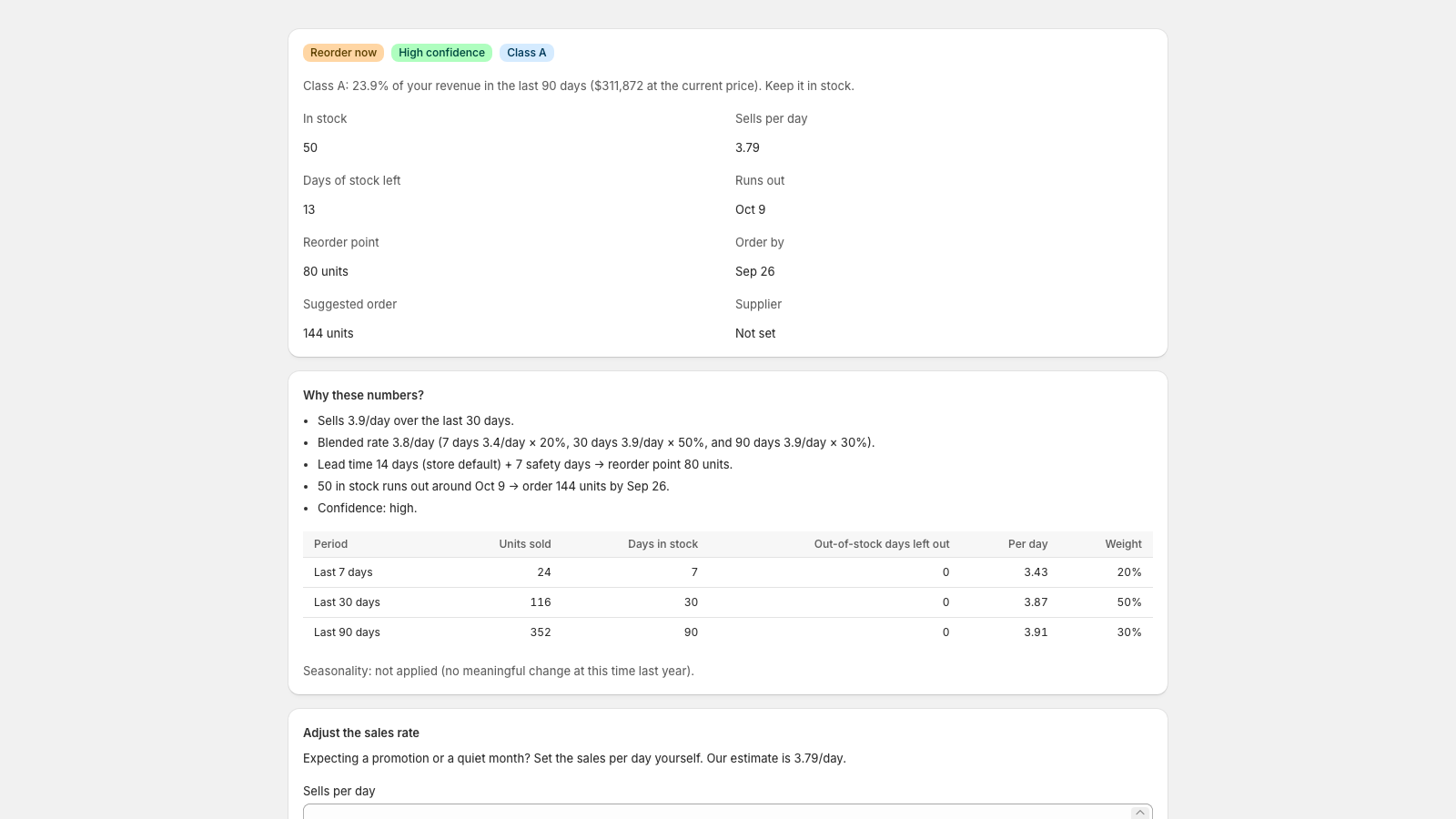
A blend of your last 7, 30 and 90 days of sales, with out-of-stock days removed and last year's season taken into account.
Clear Stock forecasts the stock-out date of every variant and tells you when to order and how much. Every number comes with the math behind it, so you can check it and change it.
Coming soon to the Shopify App Store.
Linen shirt · Sand / M
Sales windows, out-of-stock days left out, seasonality, lead time and safety stock, in plain words.
Free, or $4 a month. Never a share of your sales, no contract, and your price never goes up.
At most one email a day, only when something needs ordering. No upsell pop-ups.
Install, answer two questions, and see what to reorder while your history imports.
Built for small and growing Shopify stores that buy from suppliers and don't want a spreadsheet or an enterprise contract.
A blend of your last 7, 30 and 90 days of sales, with out-of-stock days removed and last year's season taken into account.
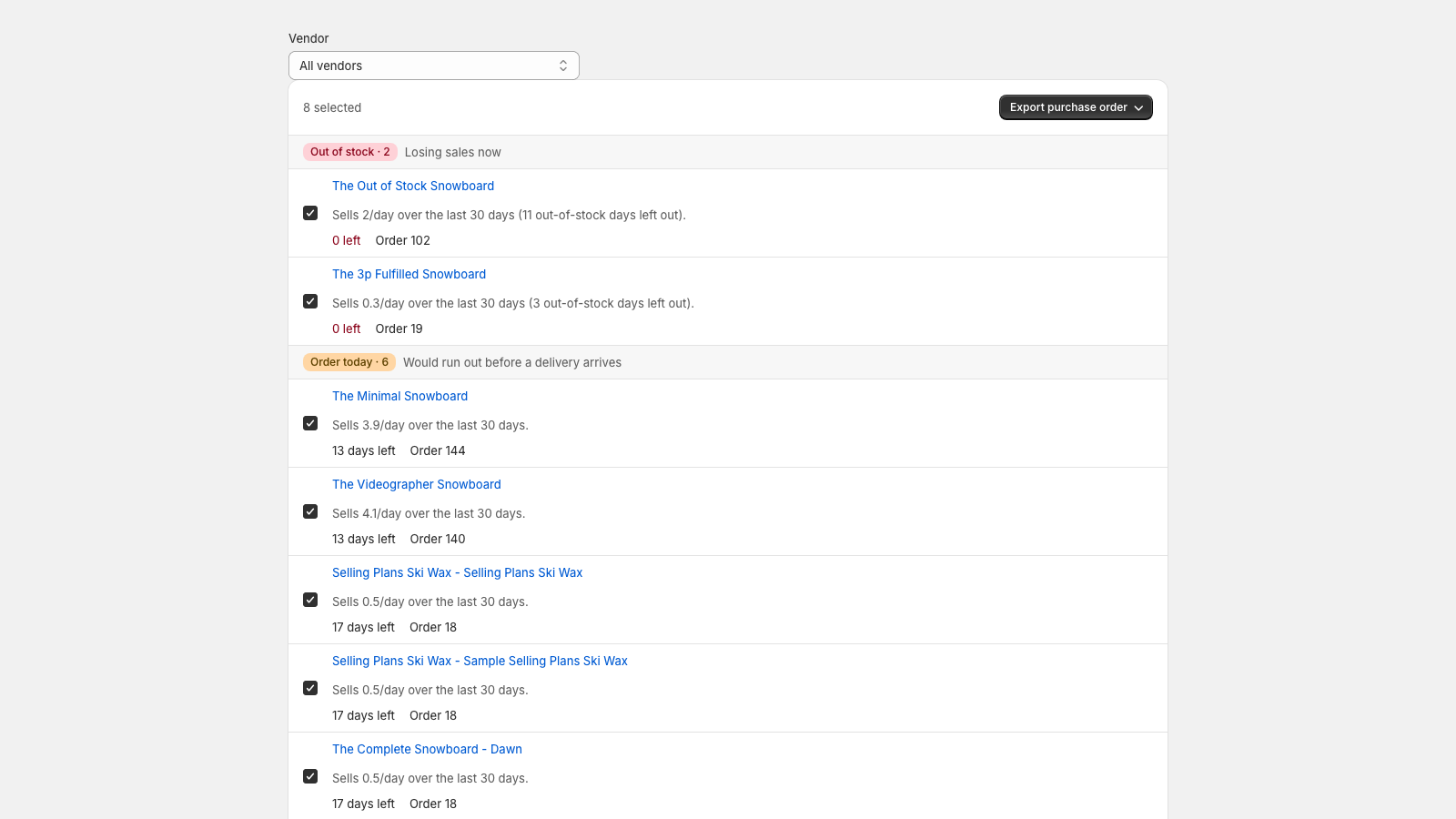
Reorder point from lead time and safety stock, incoming stock subtracted, rounded to minimum orders and case packs.
Each forecast shows the sales days used, the days left out and the settings applied. Disagree? Adjust the sales rate, lead time or safety stock.
Sales of a bundle count toward each component, so the parts you actually stock are forecast correctly.
Lead time, order days and order cycle per supplier. Create suppliers from your Shopify vendors in one click.
Import your purchase order CSV: suppliers are created, products linked and lead times measured from your real orders.
A 12-week purchase plan, a monthly buying budget, sales events like Black Friday, and “what if sales grow 20%?”.
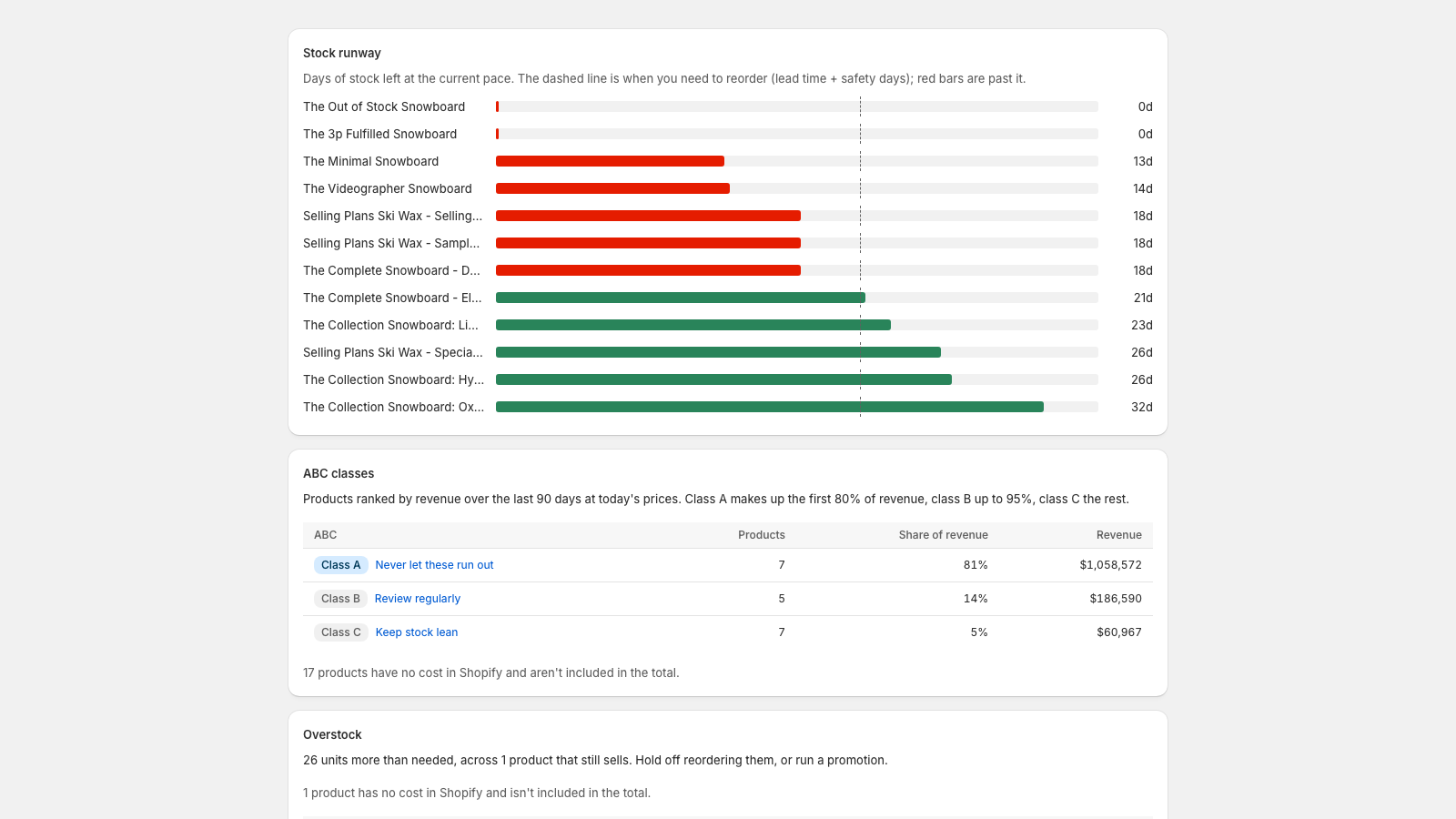
Slow and excess stock, ABC classes by revenue, sales lost while out of stock, and how accurate past forecasts were.
Most forecasting tools give you a number. Clear Stock tells you where it comes from, in the same words you would use.
No account to create. The app opens inside your Shopify admin.
Your usual supplier lead time (14 days is filled in) and where to send alerts. Your orders and stock import in the background.
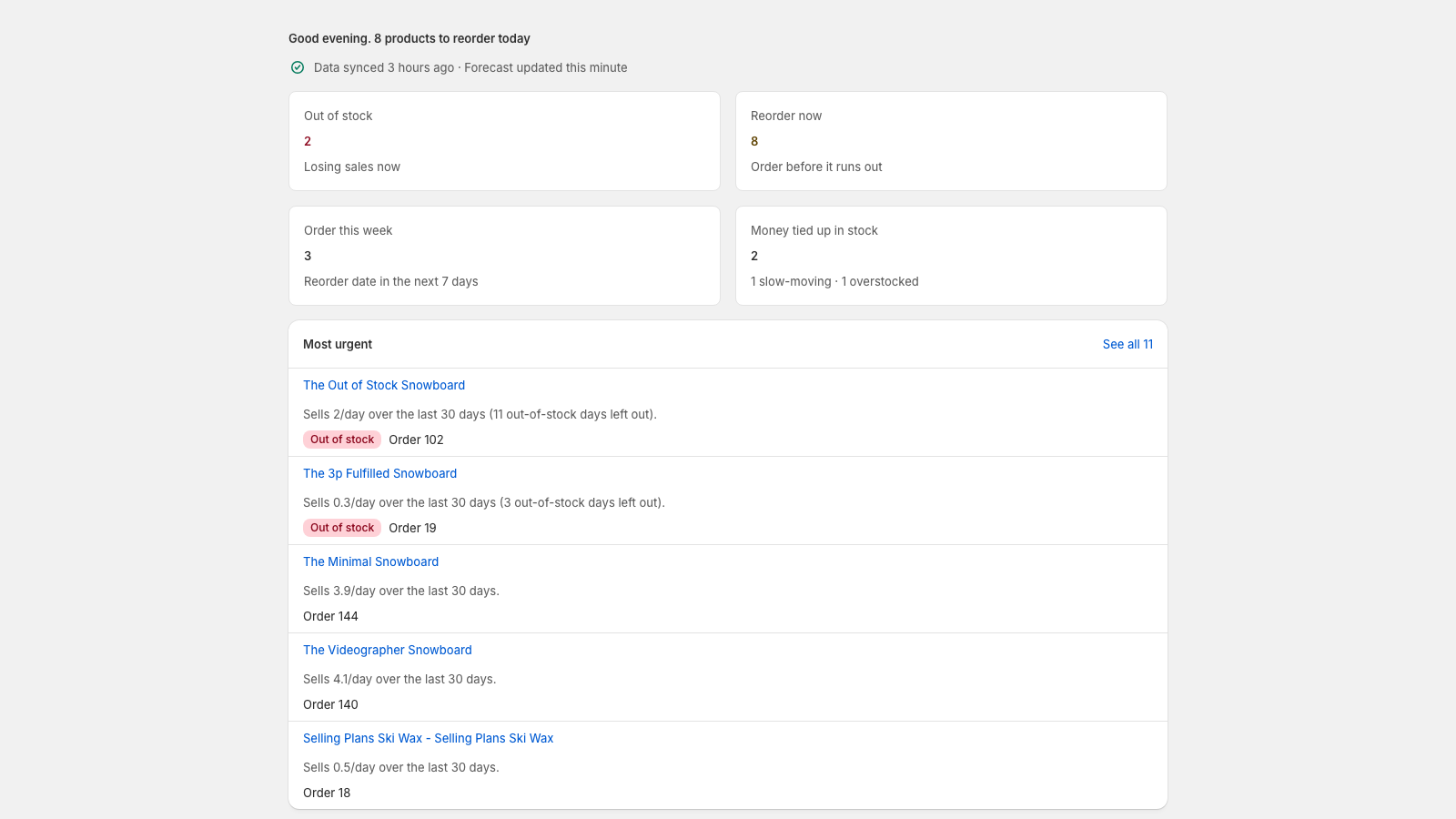
Home shows the five products to order first and the money tied up in slow stock. Fine-tune suppliers and bundles whenever you like.
Pay for the plan, not for your sales. Billed on your Shopify invoice, cancel anytime.
For small catalogs
For growing stores
7-day free trial
Price lock: while you stay on your plan, your price never goes up.
Every product has a "Why this number?" explanation: the sales windows used (7, 30 and 90 days), the out-of-stock days left out, seasonality, bundles, lead time and safety stock. You can adjust the sales rate, lead time and safety stock yourself.
Only daily sales totals per product, your catalog and stock levels, and what you enter. No customer names, emails or addresses, and raw orders are not stored.
Yes. Export your purchase orders from Stocky as CSV and import them in Suppliers → Import from Stocky. The app creates your suppliers, links products and works out each supplier's lead time.
Plans are a flat monthly or yearly price billed on your Shopify invoice: no share of your sales, no contract. Your price never goes up while you stay on your plan. Uninstalling the app cancels billing automatically.
English, Vietnamese, Spanish, German, French and Portuguese. It follows your Shopify admin language, or you can pick one in Settings.